- +44(0)116 2787812

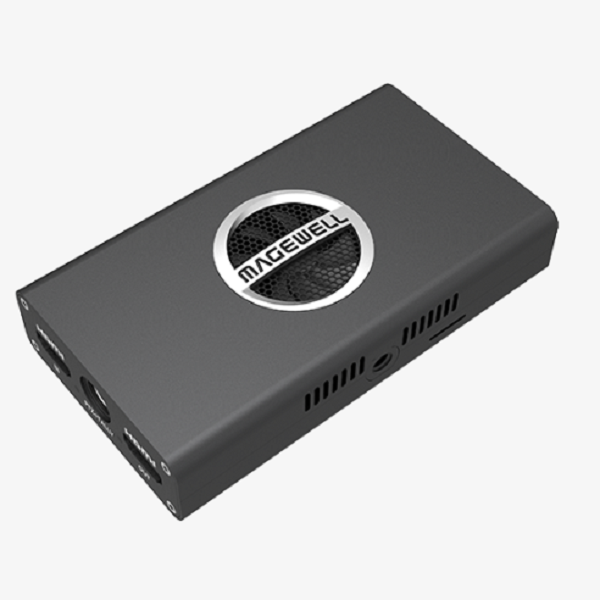

Pro Convert HDMI 4K Plus
£0.00
Converts a 4K HDMI input signal into Full NDI® with loop-through
Part number:
64010 US; 64012 EU; 64013 UK;
64014 AU; 64015 KR; 64016 JP
The device is supplied with different options of power adapters.
- Supports up to 4096×2160 60fps (4:4:4) input signals including 1080p 144fps
- Connects existing source equipment into NDI-enabled, IP-based media networks
- Plug-and-play ease of use with automatic input format detection and DHCP network configuration
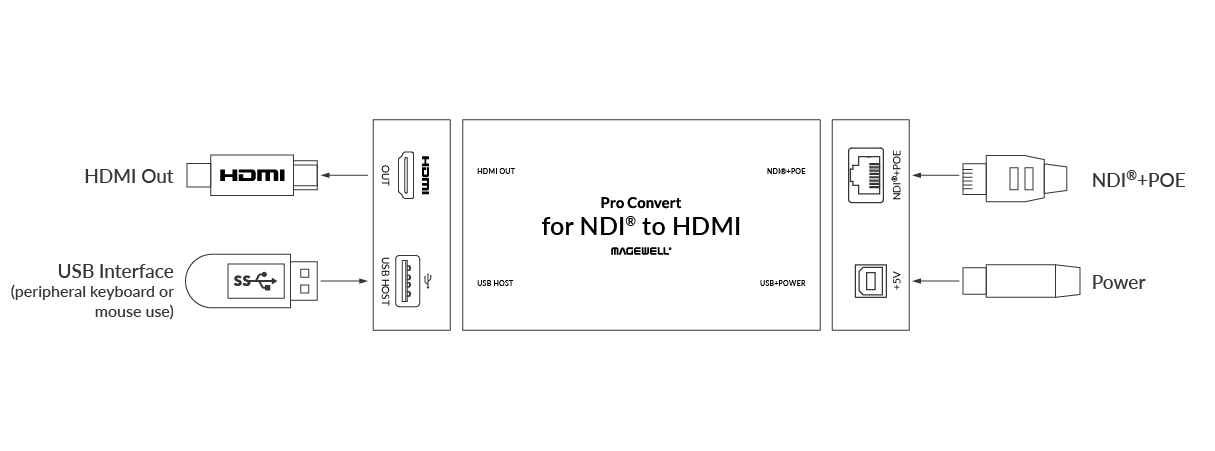
Interface
SPECIFICATION & FEATURES
Input Features
- Support for up to 4096×2160 4:4:4 60fps HDMI input and loop-through
- Support for 8-channel IEC60958 audio streams
NDI® Format
- Support for up to 4096×2160 60fps or 1920×1080 240fps 4:2:2 8-bit NDI encoding
- Send NDI streams across network segments
- Remotely control PTZ cameras via NDI
- Support for NDI 5.x
Features & Advantages
- Very low latency
- Advanced configuration and device status through intuitive Web GUI
- Tally lights and camera mounting for live production applications
- HTTP-based APIs for custom integration
FULL SPECIFICATION & FEATURES
Pro Convert HDMI 4K Plus Specifications
 Download
Input & Loop through Features
- Max input & loop through signal: 4096×2160 60fps 4:4:4 8-bit
- Input video at any format by custom EDID of input port
- Video formats: RGB, YUV BT.601/709/2020
- 8-channel HDMI-embedded audio
- HDMI interfaces: HDMI 1.4/2.0, DVI-D
NDI® Encoding Features
- Encoding Full NDI real-time stream at up to
- 4096×2160 60fps 4:2:2 8-bit
- 1920×1080 240fps 4:2:2 8-bit
- Output the same resolution as input or any custom resolution. Typical outputs include:
- 4096x2160p/3840x2160p/2048x1080p 23.98/24/25/29.97/30/50/59.94/60
- 1920x1080p/1280x720p 23.98/24/25/29.97/30/50/59.94/60/100/119.88/120
- 1920x1080i 25/29.97/30/50/59.94/60
- 720x480p/720x480i 59.94/60/119.88/120
- 720x576p/720x576i 50/100
- Output frame rate same as the original, 1/2, 1/3 or 1/4 of input frame rate
- Encoding 8-channel NDI-embedded audio
- Support NDI 5.x
Configuration Management
- Register with Magewell Cloud
- Remote control via WebUI and Magewell Cloud
- Provide comprehensive information regarding the device and input signals in real-time
- Allow to configure how an input is processed and encoded, including deinterlacing, EDID, up/down scaling, frame rate, aspect ratio, as well as the network connection
- Update firmware
- Support USB RNDIS/ECM
- Support IE/Edge/Firefox/Chrome/Safari/Opera web browsers
- Provide HTTP APIs
On-board Control Buttons
- 16 Position Rotary DIP Switch: set board-index from 0 to F
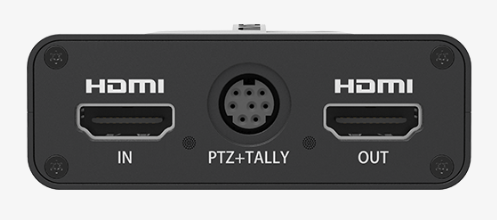
PTZ Control
- Control PTZ cameras using protocols of VISCA, Visca UDP, Visca UDP2rs232, PELCO-P and PELCO-D via NDI
- Mini-DIN–8 jack (shared with Tally light)
Network Interfaces
- 10/100/1000Mbps Ethernet
- IEEE 802.3af PoE
USB Interface
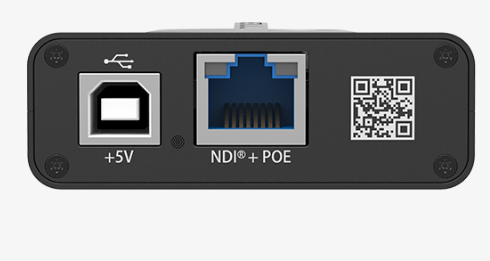
- USB2.0 Type B
- 5V/2.1A power supply
- USB RNDIS/ECM
Supported Products
- NDI Studio Monitor
- OBS
- vMix
- Any other NDI-enabled product
LED Indicators
- Status LEDs indicate:
- Power supply: on/off
- Tally: preview/program
- Input signal: locked/unlocked
- Loop through signal: device connected and signal detected/undetected
Form Factor
- 117.5mm (L) x 66.7mm (W) x 23.4mm (H)
Accessories
- USB 2.0 A to B cable
- 5V/2.1A power adaptor
- Mini-DIN 8 breakout cable
- Tally light
- L-bracket
Screw Mounting Hole
- ¼–20 threaded hole
Power Consumption
- 5V max current: ~2A
- Max power consumption: ~10W
Working Environment
- Operating temperature: 0 to 45 deg C
- Storage temperature: –20 to 70 deg C
- Relative humidity: 5% to 90% non-condensing
Firmware
-
-

11.6 MB | 2023.08.10
Descriptions:- Support toggling on/off SSDP. When toggled off, it does not send SSDP multicast packet.
- Support Auto Reboot to set periodical auto reboot.
- Support adding multiple discovery servers.
- “set-rndis-config” API adds the “name” parameter, which is used to modify the name of USB device.
- Fix known issues.
-